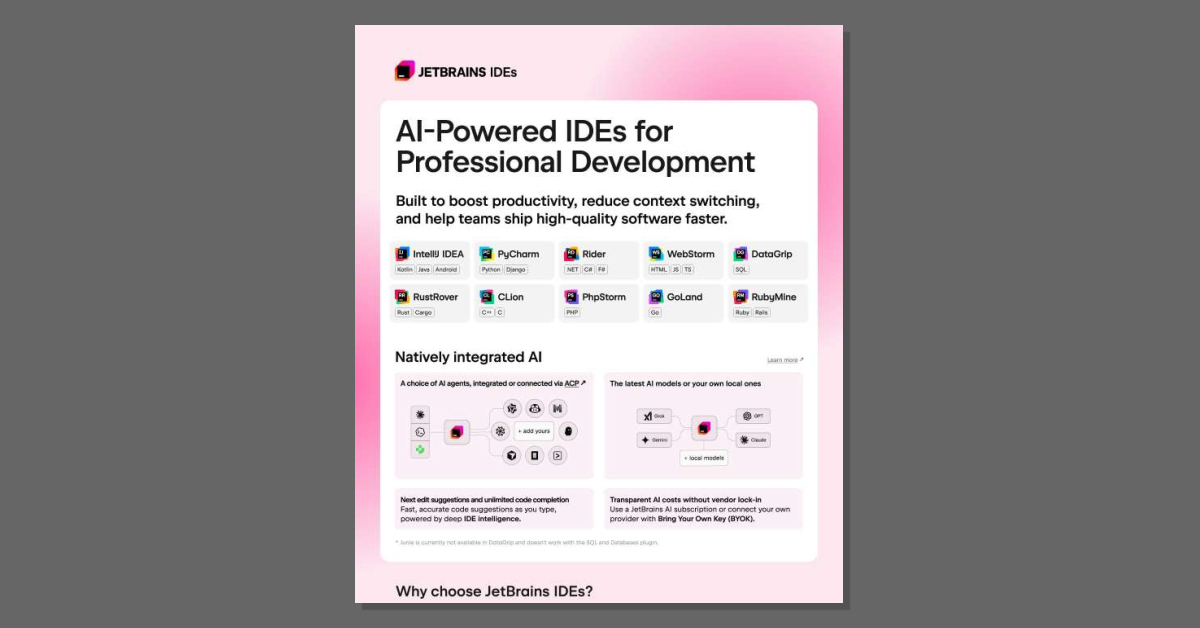
AI-Powered IDEs for Professional Development
What slows a polyglot team down more, the code or the tools they fight to use? This leaflet shows how JetBrains delivers purpose-built IDEs for 10 stacks, each with integrated debuggers, test runners, version control, and natively integrated AI. Read the leaflet to see how JetBrains IDEs support your teams.
How do AI-powered JetBrains IDEs help development teams work faster?
JetBrains IDEs are designed to boost productivity, reduce context switching, and help teams ship higher-quality software faster by combining deep IDE intelligence with integrated AI.
Key ways they help teams move faster:
- AI-assisted coding in the IDE: Fast, accurate code suggestions as you type, plus next-edit suggestions and unlimited code completion, all powered by the IDE’s understanding of your project.
- Less context switching: Debuggers, test runners, version control, and database tools are built in, so developers stay in one environment instead of juggling multiple tools and plugins.
- Purpose-built IDEs: Dedicated IDEs for stacks like Kotlin, Android, Python, Django, Rails, and more, so each team can work with tools tailored to their language and framework.
Teams report that JetBrains IDEs have a clear impact on productivity: 89% of JetBrains IDE users say their productivity is highly influenced by their IDE, compared to 76% for users of other IDEs or editors. When you add AI into the mix, almost half of developers report saving 3–8 hours per week with Junie, and some gain over 12 hours per week, which directly translates into faster delivery of features.
What is Junie and how does its AI support work in JetBrains IDEs?
Junie is JetBrains’ AI coding agent, natively integrated into JetBrains IDEs to help developers write, understand, and modify code more efficiently.
How Junie and AI support work in practice:
- Code completion and next edits: Junie provides fast, accurate code suggestions as you type, plus next-edit suggestions that help you quickly apply follow-up changes.
- Deep IDE intelligence: Because it’s built into the IDE, Junie can leverage project structure, language semantics, and tooling context to offer more relevant suggestions than generic editors.
- Choice of AI agents: You can use integrated AI models via a JetBrains AI subscription or connect your own provider using Bring Your Own Key (BYOK). You can also work with local models if that better fits your policies.
- Unified experience: All JetBrains IDEs share a unified AI interface and workflow, which simplifies onboarding and cross-team collaboration.
One limitation to be aware of: Junie is currently not available in DataGrip and does not work with the SQL and Databases plugin. For most other JetBrains IDEs, it’s fully integrated into the daily development workflow.
How does JetBrains handle cost, security, and enterprise needs for AI?
JetBrains aims to make AI adoption predictable, secure, and manageable for organizations.
Cost and vendor flexibility
- Transparent AI costs: You can use a JetBrains AI subscription with clear pricing, or connect your own AI provider via BYOK (Bring Your Own Key), avoiding vendor lock-in.
- All Products Pack: For broad adoption, the All Products Pack bundles 11 IDEs, JetBrains AI Pro, 3 extensions, and 2 profilers. It’s positioned as a “complete developer toolkit” with a stated 78% savings compared to buying components separately.
Security and compliance
- Industry standards: JetBrains tools adhere to leading security standards, including SOC 2 certification, which is important for organizations with strict compliance requirements.
- Enterprise-ready tooling: Each IDE includes integrated debuggers, test runners, version control, and database tools, reducing reliance on third-party plugins and helping centralize governance.
Fit for large organizations
- Unified experience across teams: A consistent interface and workflow across all JetBrains IDEs helps reduce onboarding time and supports cross-team collaboration.
- Proven adoption: JetBrains notes that organizations, including companies in the Fortune Global Top 100, use its tools, which can give stakeholders confidence in enterprise-scale deployment.
For .NET and game development teams, the dotUltimate toolkit adds cross-platform .NET and game development IDEs, Visual Studio and VS Code extensions, plus JetBrains AI Pro, profiling, and coverage tools, giving those teams a focused, enterprise-ready stack.




 Sign in with LinkedIn